
Every OpenCart store produces data constantly, orders landing, stock shifting, carts going cold. Getting one specific number out of that data usually means opening a report page, picking a date range, and waiting for it to load. An AI-powered back office tool for OpenCart changes that by letting you type the question directly instead.
If you’ve ever needed a single figure, today’s order count, this week’s low-stock products, and ended up clicking through three report screens to find it, you already know the friction this creates. That friction is exactly what an OpenCart AI Back Office Extension is built to remove.
Knowband builds this category of tool specifically for OpenCart admins who want faster answers without adding a separate reporting platform.
Why the OpenCart Admin Panel Slows Down Daily Store Checks
OpenCart’s native reporting works fine for a monthly review. Someone sits down, pulls the numbers once, and moves on with their day.
Daily store checks are a different problem entirely. Report navigation that takes two minutes once a month becomes a real drag when you’re repeating it every morning across orders, stock, and revenue. Most merchants don’t have a developer on standby to write a custom query for something as simple as “how many carts went cold yesterday.”
The gap shows up most clearly in multi-admin stores. A logistics staffer needs stock counts, a salesperson needs order status, and neither one wants to learn the reporting module just to answer a question that takes five seconds to ask out loud.
This is the exact gap an OpenCart AI Back Office Extension is designed to close, by sitting inside the admin panel instead of asking staff to learn a new tool.
What Getting Store Answers Without SQL Actually Looks Like
The mechanism is simpler than it sounds. You type a question in plain English, and a natural language query gets translated into a database lookup behind the scenes, pulling from your live store data instead of a cached report.
A few examples of what that replaces:
- “How many orders came in today?” instead of opening the sales report and setting a date filter
- “Which products are out of stock right now?” instead of scanning the full catalog manually
- “What’s my revenue over the last 30 days?” instead of exporting and totaling a spreadsheet
- “Which customers haven’t ordered in 60 days?” instead of cross-referencing two separate reports
Each of these pulls from read-only queries against your existing store database, so nothing about the answer requires touching or exporting anything by hand. The response comes back in seconds, in the same tab you’re already working in.
Where This Kind of Setup Usually Breaks Down
Not every implementation of this idea holds up under daily use, and it’s worth knowing what to check before relying on one.
Data access scope. Some tools default to querying everything in the database, which raises obvious concerns if multiple staff members share admin access. You want the ability to restrict which data domains, orders, customers, and stock are even reachable through the chat.
Write access. A query interface that can only read data is a very different risk profile from one that can also modify it. Anything touching your live store should stay strictly read-only, with no path for a typed question to accidentally change a price or delete a record.
Provider lock-in. Some AI admin tools route every question through their own backend, meaning you’re paying a markup on top of the AI provider’s own API cost. A setup that lets you connect your own OpenAI, Anthropic, or Gemini key keeps that cost transparent.
Run through these three points before choosing any OpenCart AI Back Office Extension, since fixing them after rollout is far more disruptive than checking them upfront.
Manual Reporting vs. an AI-Driven Query
| Task | Manual Report Navigation | Plain-English Query |
| Today’s order count | Open report, set date range | Type the question, get the number |
| Out-of-stock products | Scan catalog or export the list | Ask directly, get the list |
| 30-day revenue trend | Pull report, calculate manually | Ask, get the figure with context |
| Repeat daily | Same steps, every morning | Same question, one tap via a saved shortcut |
The table holds up because it reflects the exact repetitive checks store owners describe doing by hand every single day, not a hypothetical workflow. It’s also the fastest way to see where the actual time savings come from: not the answer itself, but skipping the navigation to reach it.
The OpenCart AI Back Office Extension Built for This
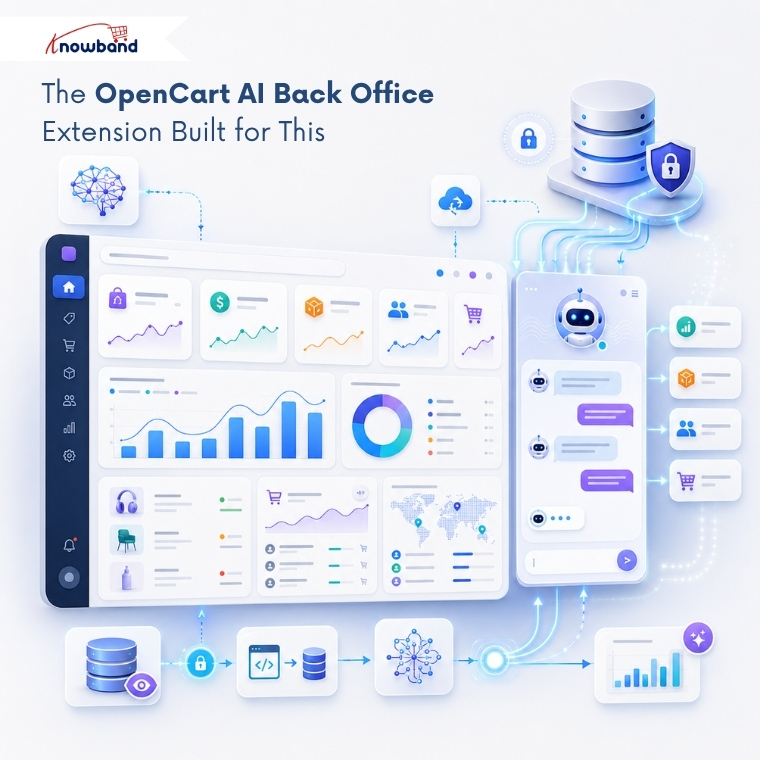
This is where Knowband’s OpenCart Smart AI Admin Assistant fits the problem directly. It places a chat interface inside your OpenCart admin panel, and every question you type gets answered from your live database in seconds, no developer, no report page, no waiting.
As an OpenCart Smart Admin Assistant, it works against a set of pre-built, read-only database views covering orders, customers, stock, and abandoned carts, so nothing you ask can accidentally change or delete store data. You also get predefined one-tap chips for the questions you ask most, today’s orders, low stock, and new customers, plus optional SQL visibility if you want to see exactly how each answer was pulled. It connects to your own OpenAI, Anthropic, or Google Gemini API key, so there’s no separate subscription layered on top of what you’re already paying the AI provider.
Setting Access Levels Before Your Team Starts Using It
Before rolling this out beyond your own login, decide who actually needs it. Role-based access lets you open the assistant to specific staff profiles, a logistics role, and a sales role, while keeping everyone else on the standard admin panel.
That distinction matters more once multiple people share store access. A query history log tied to each employee account means you can see exactly who asked what, which becomes useful the first time a number in the chat doesn’t match what someone expected.
The Knowband team built this access layer specifically because store admin logins are rarely limited to one person. An OpenCart Admin AI Extension that ignores role separation ends up creating more oversight work than it saves.
Getting the Most From an OpenCart Smart Admin Assistant
Start with the questions you already ask every day: order counts, stock levels, revenue, before exploring anything more complex. Once those daily checks are handled through plain English instead of report navigation, expanding into customer retention or coupon usage questions takes no extra setup.
An OpenCart AI Back Office Extension doesn’t replace your existing reports; it removes the repetitive part of reaching them. If your mornings still start with clicking through report pages for numbers you ask for every day, an OpenCart Admin AI Extension built specifically for that workflow is worth setting up before your next daily check.

